What is a Color Management System and Why it Matters for Product Labels

You know how important your brand’s colors and image are—they’re the first things your customers notice. Making sure that color looks the same everywhere can be a real challenge. That’s where it helps to work with a label printing partner that uses color management to reproduce your brand’s colors accurately on every label. 

We’ll walk you through what a color management system is and how it’s beneficial to work with a printer that uses one. 

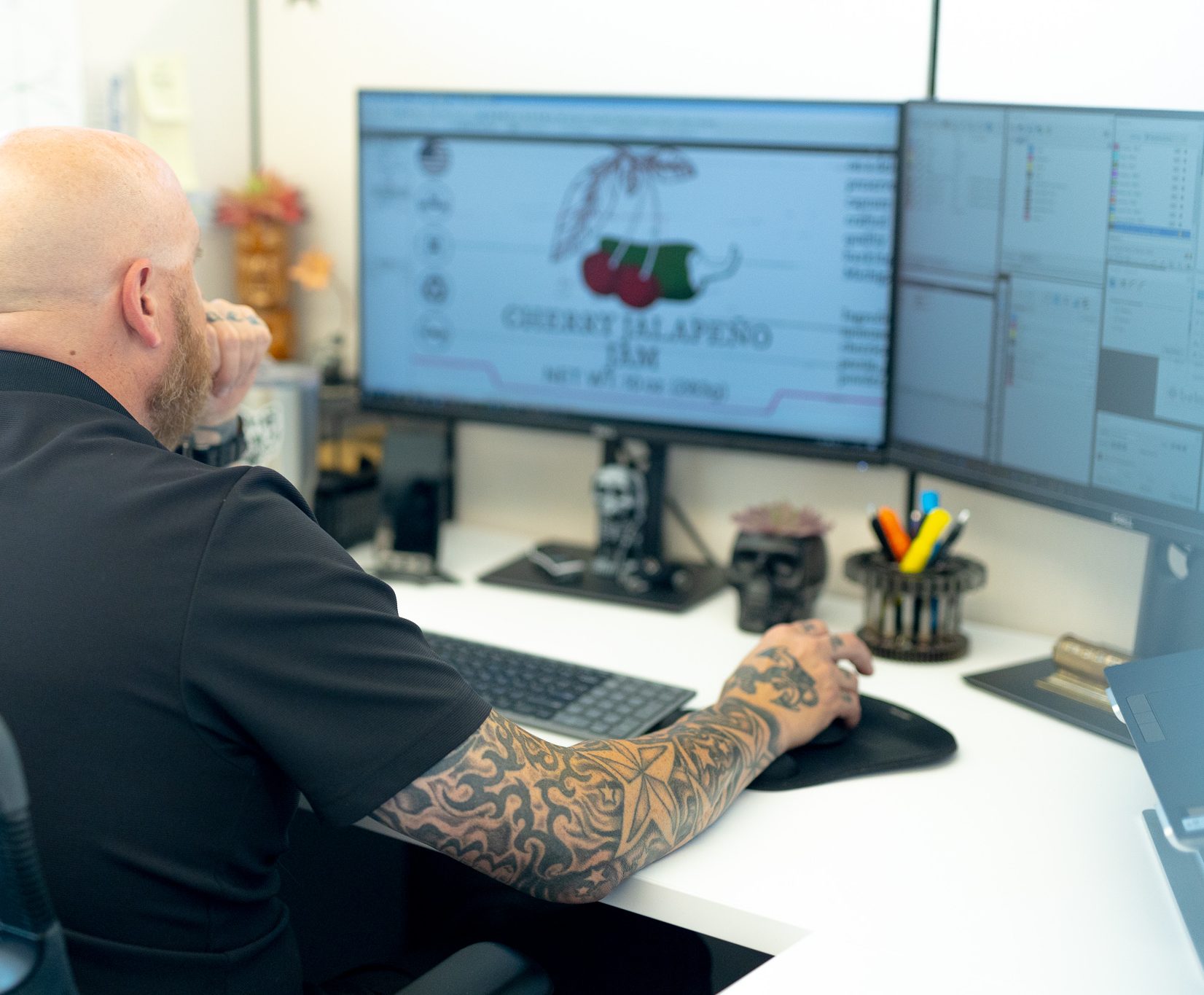
Graphic designer using a color management systemWhat a Color Management System Can Do 
  • Ensures that colors remain consistent across label runs and that each label matches your brand colors.  
  • Reduces the need for reprints due to color errors by calibrating and profiling devices for accurate color display and printing. 
  • Helps you achieve consistent colors across materials like matte and glossy paper, vinyl, and soft-touch labels. 

Understanding Color Management Systems

It’s frustrating when labels from different print runs don’t match up. A color management system tackles this problem by calibrating equipment—such as monitors, presses, and proofing devices—so that each device “speaks the same language” of color. Here’s how it works:

  • Measuring and Calibrating: Instruments are used to measure what color looks like on every material and every press type that your printer may use. Press operators use highly calibrated proofers and spectrophotometers to check every product prior to printing. This ensures that the press output matches your brand color. 
  • Unifying Different Color Spaces: Conversion formulas are created that will take into account the materials and finishes being used for the label so that the associated CMYK value looks the same at the end of the process, regardless of the press, material, or finishes. 

Think of it like a universal translator. With fine-tuned profiles and regular calibration, a printing partner should deliver labels that match your brand’s colors, no matter the material or printing method.

Lighting in a grocery store

The Impact of Lighting on Color

Different lighting conditions can make the same color appear drastically different. For example:

  • Bright Fluorescent Lighting (ex: in a grocery store): Colors may look cooler and more intense, making some shades seem more vibrant than intended.
  • Soft, Warm Lighting (ex: at home): Colors often appear warmer, giving reds and yellows a richer tone while muting cooler hues.
  • Dim Lighting (ex: in a bar or restaurant): Colors can seem darker or less saturated, making it harder for customers to recognize your brand at a glance.

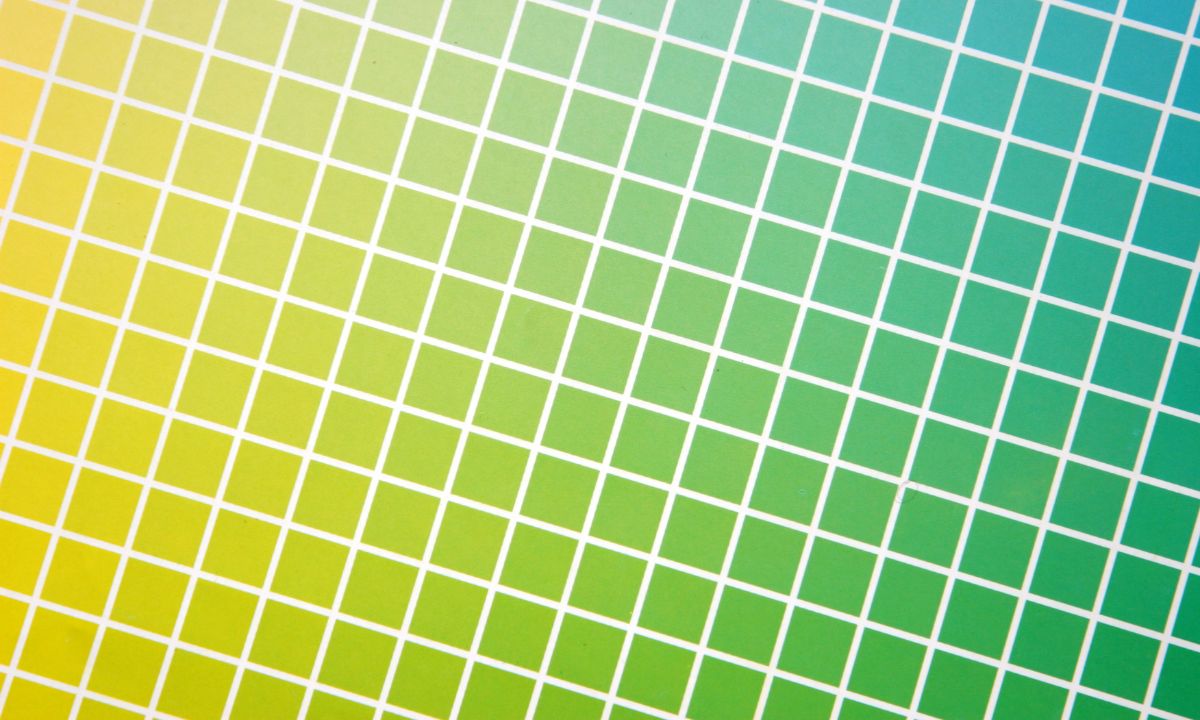
CMYK Color Swatch

Benefits of Color Consistency

Imagine your customers recognizing your product from across the aisle without a second glance—that’s the power of consistent, spot-on color in your labels.

  • Faster Brand Recognition: When every label print run aligns with your established brand colors, customers can spot your products quickly—no matter where they’re shopping.
  • Brand Integrity: By maintaining consistent color standards, you show that you’re serious about quality and brand integrity. This level of detail signals that your product is well-crafted and dependable.
  • Increased Customer Loyalty and Repeat Purchases: Consistent color schemes create a familiar visual cue that keeps your brand top-of-mind. When shoppers know your product at a glance, they’re more inclined to buy again, driving long-term customer loyalty.

Work With an Expert Printer For Better Consistency 

Color management will help you ensure uniformity across your labels and packaging. It’ll make your brand look professional and recognizable, and build your customers’ trust. 

With strict color management processes, we make sure that each print is perfect down to the last detail.

Experienced printers like Blue Label have the industry expertise and tools to calibrate colors to deliver reliable results.If you’re ready to print quality labels that leave a lasting impression, we can help. Call us today to request a quote for your next label run. 

Designing for Printed Cans: What You Need to Know

If this is your first time switching from labels to printed cans, the goal isn’t to redesign everything, it’s to understand how can printing is different from labels or sleeves and how to brief your designer so the final result looks exactly the way you expect.

The biggest difference:

Artwork is printed directly onto the can using high-speed digital inkjet technology with the can rotating while ink is applied. That process changes how fine details, text, color layering, and registration behave compared to pressure-sensitive labels or shrink sleeves.

We’ll walk through the adjustments you need to make to get great looking printed cans without any surprises.

Core Design Differences Your Designer Needs to Know

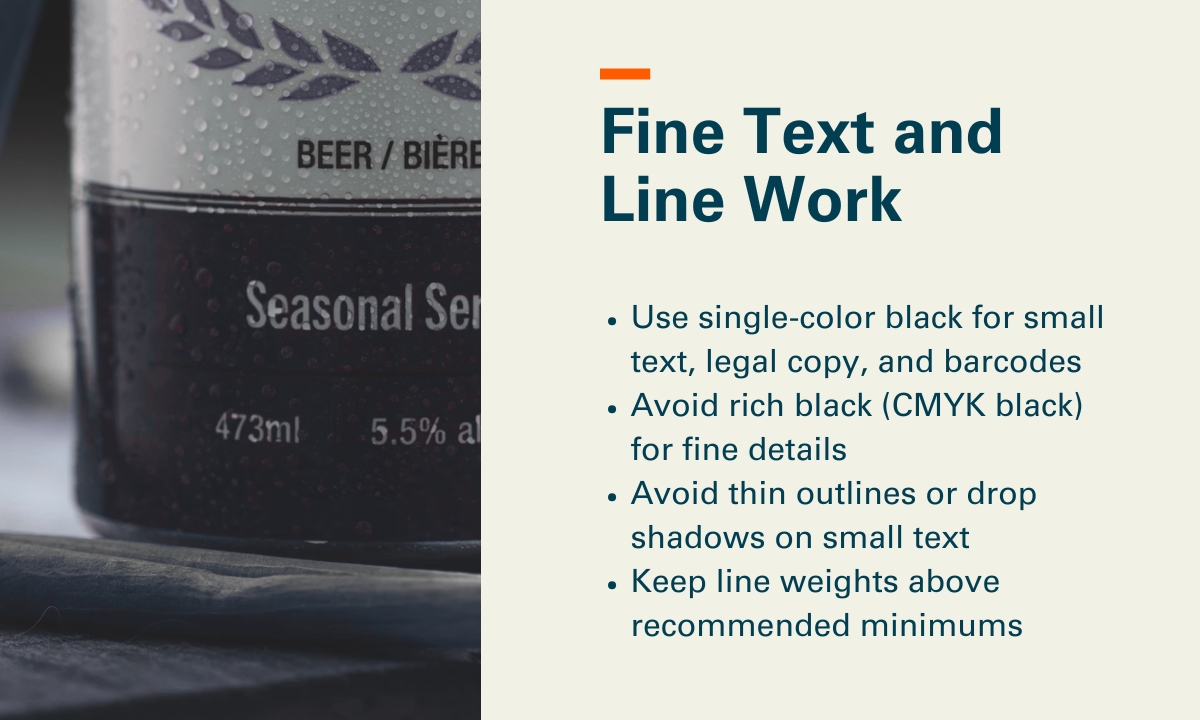
1. Fine Text and Line Work

Printed can technology uses multiple print heads and layered color separations, and the resolution is lower than what designers are used to with pressure-sensitive labels or shrink sleeves. That means very small text or thin lines can look less crisp than expected.

Our recommendations:

  • Use single-color black for small text, legal copy, and barcodes
  • Avoid rich black (CMYK black) for fine details
  • Avoid thin outlines or drop shadows on small text
  • Keep line weights above recommended minimums (0.1pt for lines; avoid ultra‑fine hairlines), and keep small text above minimums (7pt and up for single‑color text, larger if reversed out or multi‑color)

Printed cans design - fine text and line work

2. Barcodes

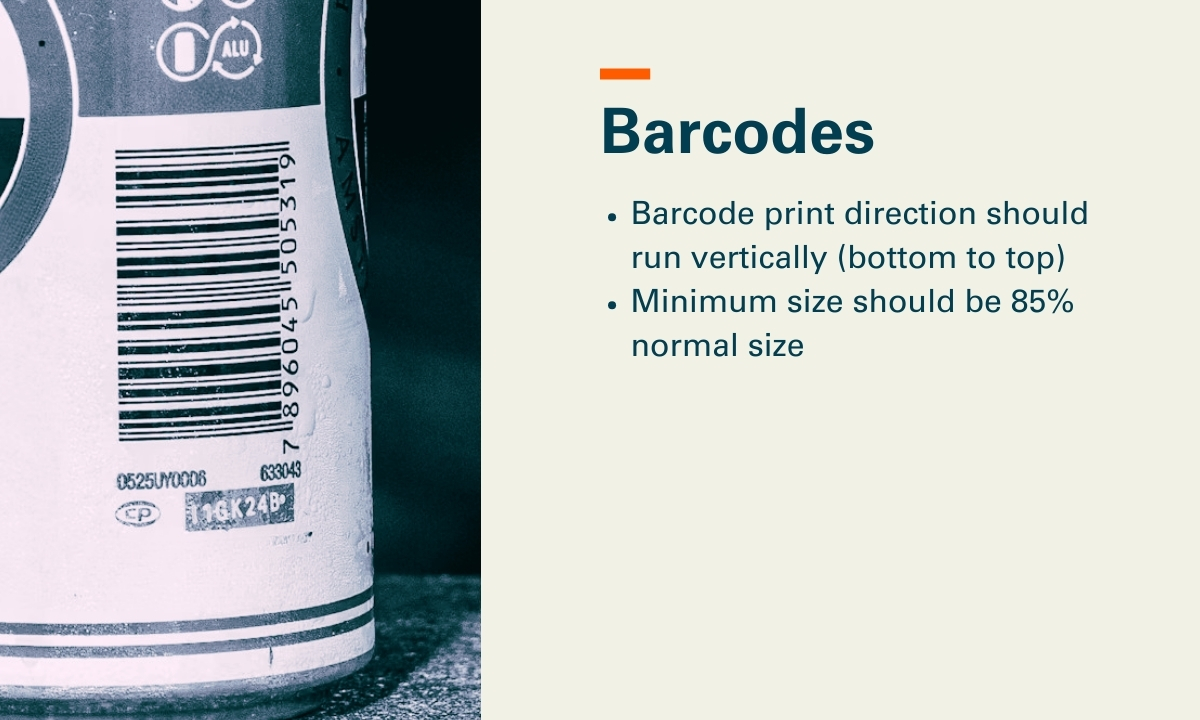
Barcode orientation and color matters more on printed cans than it does on labels.

Our recommendations:

  • Barcode print direction should run vertically (bottom to top)
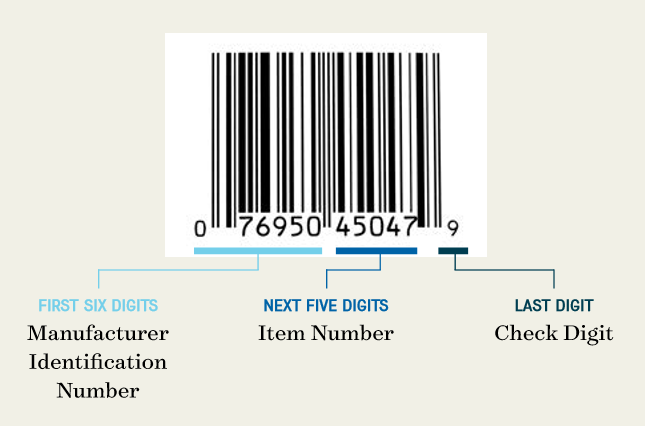
  • Minimum size should be 85% normal size. Some customers do choose to use a reduced barcode size, however, the Bar Code Council and ANSI scanning requirements advise that the code bars should not be truncated (shortened) or reduced, but in full size. 

Printed cans design - barcodes

3. Gradients and Color Blends

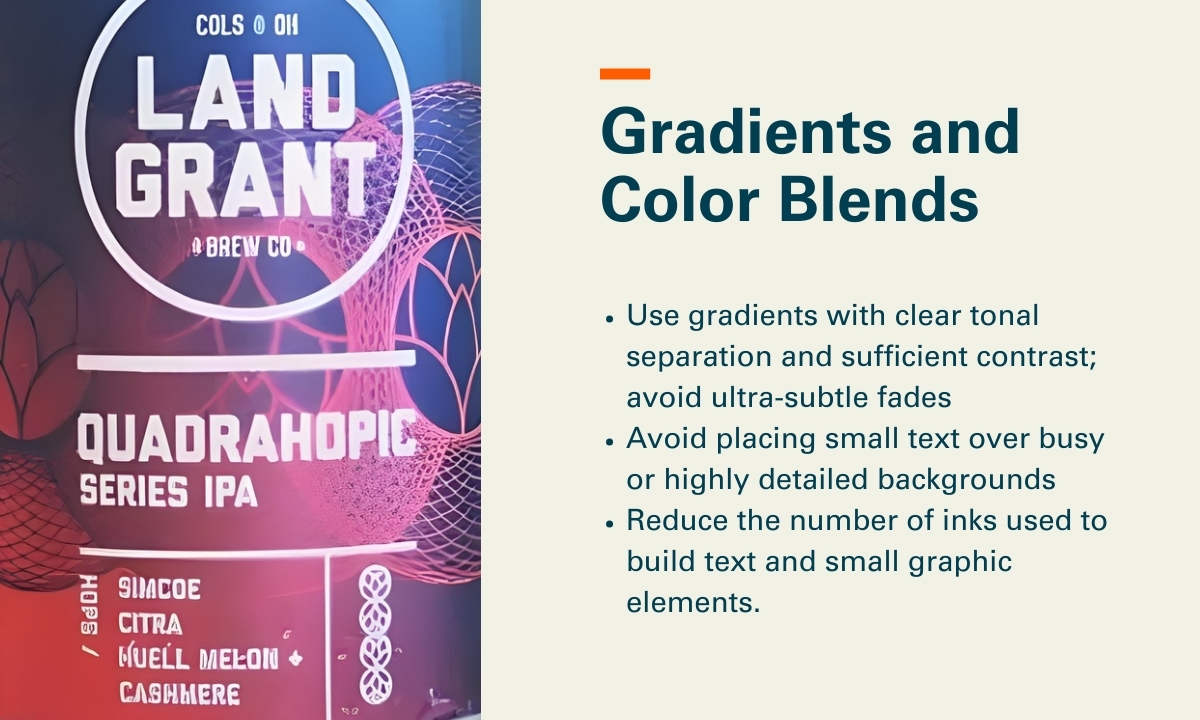
Printed cans handle large color fields and imagery very well. Issues tend to appear when gradients are extremely subtle, when many colors are stacked into small areas, or when fine text sits on top of complex blends.

Our recommendations:

  • Use gradients with clear tonal separation and sufficient contrast; avoid ultra‑subtle fades (for example, 1–2% tint steps) and very long, low‑contrast blends that can band or break up at ~900 DPI on a rotating can
  • Avoid placing small text over busy or highly detailed backgrounds
  • Reduce the number of inks used to build text and small graphic elements. Specifically, avoid CMYK or multi‑color builds for typography; use single‑ink colors where possible, and limit text to one color (or two at most) to reduce registration risk across multiple print heads.

Printed cans design - gradients and color blends

Designing for the Can’s Shape

Neck (Top) and Chime (Bottom) Live Areas

With cans, the neck and chime curves matter from a design standpoint.

  • The very top and bottom of the can curve more, which can cause distortion, softening, or loss of clarity in small text and fine details as ink is applied over tighter radii
  • Text and fine details should stay within designated safe zones, typically keeping critical text and thin line work at least 15mm away from the very top flange and bottom of the can, where curvature increases and print clarity is more likely to degrade
  • Many successful designs transition to solid color or simple patterns near the top

We can provide templates, and it also helps to tell designers early that the top and bottom of the can are not ideal places for critical text.

Using the Aluminum Can as a Design Feature

One advantage that often gets overlooked is the metallic nature of the can itself.

Designers can let the natural aluminum show through, use selective white ink to control where metallic effects appear, and create shimmer or depth without foils or specialty materials.

Common ways designers and brands use the aluminum itself as a design feature include:

  • Metallic highlights: Leaving aluminum exposed behind logos, illustrations, or key accents to create natural shine without foil or specialty coatings.
  • Patterned metallic fields: Using repeating patterns or textures with selective white ink to create contrast between matte inked areas and reflective metal.
  • Depth and layering effects: Letting metallic areas sit behind translucent or lightly inked colors to create visual depth and dimensionality.
  • Premium negative space: Intentionally unprinted areas that give the design space.

Embellishments You Can Use Digitally

Digitally printed cans support several embellishments without plates or added materials. Everything is applied inline during printing.

Embellishment What It Does When to Use It
Matte finish Reduces glare and softens the look Premium, modern brands
Gloss finish Adds shine and contrast Bold graphics and shelf impact
Gloss finish Adds extra sheen and depth Highlight areas and logos
High Build/Emboss Creates tactile texture Logos, typography, focal elements

File Preparation

Here are some baseline expectations to communicate with your graphic designer:

  • Fonts outlined (no live fonts in final files)
  • Images embedded, not linked (no external file dependencies)
  • Files must be CMYK (no RGB)
  • Raster images supplied at 300 DPI at final print size; avoid upscaling low‑resolution assets
  • Spot colors used only when explicitly specified and approved for the digital can workflow
  • Create separate layers for selective white/metallic printing or selective varnish

Proofing and Prototyping Options

There are several ways to proof and validate artwork before moving into full production. Depending on the project, proofing options could include:

  • Digital proofs: Used to review layout, copy, color intent, and overall composition before anything is printed.
  • Pilot cans: Physically printed cans that show real color on aluminum, text clarity, embellishment effects, and how the design behaves under lighting, moisture, and handling.

Pre-Flight Checklist: 10 Things to Check

Before finalizing artwork, make sure you can confidently check the following:

  1. Small text is single-color where possible, and meets minimum size guidelines (generally 7pt or larger)
  2. Line weights meet minimum thresholds (generally 0.1pt or heavier)
  3. Barcodes are oriented vertically
  4. Gradients use sufficient contrast and avoid ultra-subtle tint steps
  5. Fine outlines, drop shadows, and multi-color text builds are minimized
  6. Critical text and details stay within top and bottom safe zones (15mm from the neck and chime)
  7. Use of exposed aluminum or metallic effects is planned (if desired)
  8. Embellishments (matte, gloss, high-gloss top coat, raised ink) are clearly defined
  9. Artwork has been reviewed at 100% scale with digital-can resolution expectations in mind (~900 DPI)
  10. A proofing plan is in place

Next Steps

When you (and your designer) understand how the printed can process works, it becomes much easier to provide artwork with confidence and avoid surprises once cans are on the line.

If you’re exploring printed cans and want to learn more, we’re always happy to talk through what’s possible, answer design or production questions, or help you get a quote for your project.

Printed Cans 101: What to Know Before Ordering

Printed cans are a great option for beverage brands that want shelf impact, consistency, and operational simplicity. But keep in mind the process is not the same as ordering pressure‑sensitive labels or shrink sleeves. The brands that have the smoothest first run are the ones that plan ahead for printed cans beyond just design decisions.

This guide is for beverage brands moving to digitally printed cans who want to make sure their orders go exactly as planned. We’ll walk through what matters before you place an order, including artwork, finishes, logistics, and other details that help prevent surprises.

1. Preparing Artwork for Printed Cans

With printed cans, you can get great consistency and durability, but only if artwork is prepared properly.

What to confirm before submitting files

  • High‑resolution artwork is non‑negotiable. Low‑res images that might pass on a label will show immediately on a printed can.
  • Understand resolution differences. Digitally printed cans don’t reproduce ultra‑fine detail quite the same way pressure‑sensitive labels do. Very small text, thin lines, and subtle textures need extra attention so they stay crisp once printed on aluminum.
  • CMYK only. RGB files introduce color shifts that can be amplified on aluminum.
  • Bleed and seam awareness matter. Your design must account for the can seam and safe zones so critical elements aren’t distorted or hidden.
  • Metallic interaction is real. Even with a white base, aluminum subtly influences color density and contrast.

If you’re used to prepping artwork for labels, expect more scrutiny at this stage.

Prototyping Printed Cans

A physical proof or prototype can be helpful in letting you validate:

  • Color accuracy
  • Text legibility at real size
  • How gradients, fine lines, and solids behave on a curved surface
  • How embellishments or decoration appears (we’ll touch on this later)

This is where most issues are caught, and where the smartest brands pay special attention.

2. Finishing and Embellishment

Digitally printed cans can look incredible, but embellishments work differently than they do on labels.

What’s typically available, and what to confirm

Based on real‑world digital can production capabilities:

  • Gloss or matte overall finishes are the most common and reliable options.
  • Selective effects are limited. Digitally printed cans allow for different areas to be different finishes, allowing spot varnished matte or gloss areas. It is also possible to create an embossing effect by printing a higher concentration of varnish. But, digital printing directly on aluminum doesn’t offer the same variety of finishes and textures possible with pressure sensitive labels or shrink sleeves. 
  • Design contrast does the heavy lifting. Texture and premium feel often come from smart color use, negative space, and finish selection.

If your brand relies heavily on tactile embellishments from labels, this will be a shift. Printed cans trade the wide embellishment options offered by labels for consistency and a label-less look.

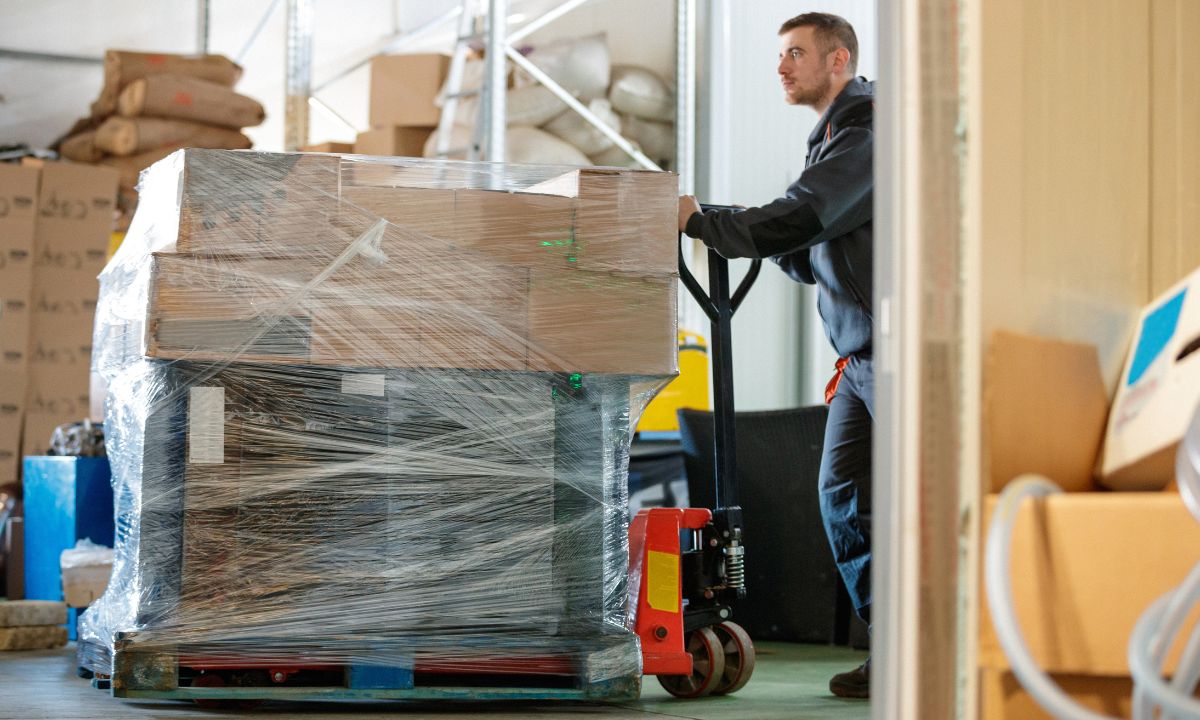
Products being shipped on a pallet

3. Logistics & Planning

Digitally printed cans force you to change how you think about inventory, storage, and shipping.

Minimums and order sizing

While digitally printed cans allow lower minimums than traditional offset printing, they are still a manufactured container, not a roll of labels.

Key considerations:

  • Order quantities should align with realistic fill schedules.
  • Small test runs are possible, but extremely small shipments can increase per‑unit logistics costs.
  • Partial pallets or mixed shipments require extra planning.

Shipping methods matter

Shipping Method Best For Approx. Can Quantities
Full truckload (FTL) Large runs ~200,000+ cans (varies by format)
Less-than-truckload (LTL) Mid-size runs ~5,000–200,000 cans
Parcel / small pack Samples, pilots Dozens to a few hundred cans

Cans are durable, but printed cans still need proper handling. Our recommendation is to match your order size to the right shipping method early (we can help with this), use full pallets whenever possible, and confirm packaging and handling requirements so cans arrive fill-ready and on schedule.

Storage and Delivery Timing

Some brands ship printed cans directly to their filler (which may be onsite or elsewhere). Others choose to store cans and schedule deliveries over time based on their fill plan. The right choice depends on:

  • Fill cadence: If you fill weekly or bi‑weekly, storing inventory and receiving cans in smaller deliveries might make sense. If you fill monthly or in large runs, direct‑to‑filler shipments are usually simpler and more cost‑effective.
  • Warehouse space: Limited space favors just‑in‑time deliveries or scheduled deliveries. If you have room to store full pallets safely, receiving larger shipments can reduce freight complexity.
  • Cash flow: Smaller, scheduled orders spread cost over time but may increase per‑unit logistics costs. Larger orders require more upfront spend but are typically more efficient on a per‑can basis.

Beer Cans

4. Testing Printed Cans

Testing matters with any packaging, but there are a few extra considerations with digitally printed cans, especially if you’re used to working with labels or shrink sleeves.

Beverage compatibility testing

Your beverage still needs to be compatible with aluminum and internal can linings under real conditions. That makes it important to confirm the following areas of performance:

  • Liner testing for ‘hard to hold’ beverages: If the cans contents have a high level of alcohol, low pH level, or cannabinoids (or other active ingredients), the beverage might need to be tested to ensure the liner won’t erode and damage the integrity of the can. 
  • Pasteurization or tunnel exposure, if applicable: Beverages that run through tunnel pasteurization or high‑heat rinsing should be tested to ensure the printed graphics maintain appearance and durability under those conditions.

If you’re coming from labels or sleeves, this may take more consideration because any issues impact the can itself, not just an applied label.

Fill-line considerations

We do durability testing as part of the printed can process, but it’s still important to know what to watch for once those cans hit your fill line. Digitally printed cans behave a little differently than labeled or sleeved cans, and being aware of that up front helps avoid surprises.

When you begin running printed cans, pay close attention to:

  • Abrasion and scuffing: Printed graphics are exposed during conveying, rinsing, and packing. Points of friction that may have been masked by a label or sleeve can show up more clearly on a printed surface.
  • Seam and handling performance: Because the graphics are printed directly on the can, any handling or seam-related issues affect the finished container itself, not a removable component.

The goal isn’t to slow down production, but to know where printed cans may behave differently so adjustments can be made early, before small issues become larger ones in distribution.

5. How Production Differs from Labels and Shrink Sleeves

If you’re coming from pressure‑sensitive labels or shrink sleeves, digitally printed cans introduce a few differences and planning considerations.

  • Artwork is locked in earlier. With labels or sleeves, artwork can sometimes be adjusted later in the process or corrected with a reprint. With printed cans, artwork approval is a point of no return. This makes seam placement, resolution, and color proofing more important up front.
  • Resolution and fine detail require consideration. Ultra‑small text, thin line work, and subtle textures that reproduce well on labels may soften slightly on printed cans. Designs often benefit from slightly heavier type, stronger contrast, and simpler detail.
  • Lead times shift. Printed cans are produced as finished containers, not decorated after the fact. That means lead times should be planned more like packaging procurement than label reorders.
  • Inventory planning becomes more deliberate. Instead of ordering labels as needed, you’re planning can quantities that align with fill schedules, storage capacity, and cash flow. Over‑ or under‑ordering has bigger downstream implications.

Printed Cans Done Right

When artwork, production, logistics, and testing are all working together, printed cans make life easier and give your product a seamless look. But when things are rushed, especially with printed cans, issues tend to show up fast.

At Blue Label, we work with beverage brands every day to make sure their printed cans launch smoothly, not just visually, but operationally. Whether you’re planning your first run or switching from another printed can provider, we’re happy to help. You can always reach out to our team or take a look at our Printed Cans page to learn more and see if it’s a good fit.

RGB and CMYK: A Color Format Guide for Label Printing

⚞ The Highlights:

  • What’s the difference between RGB and CMYK? RGB uses red, green, and blue light for digital displays, while CMYK uses cyan, magenta, yellow, and black inks for printing.
  • When designing product labels, it’s important to create artwork in CMYK so the printed colors match your intended design, rather than relying on RGB, which is meant for screens.
  • Because a label can look different on-screen than in print, it’s important to use a color management system for accurate RGB-to-CMYK conversions and to check a physical proof before finalizing the design.

Color plays a crucial role in your product’s look and brand identity. But if you’re planning to print labels, it’s not enough to pick colors you like on screen and hope they’ll print the same way. We want to help you understand how RGB and CMYK impact your final labels so you can maintain brand consistency and avoid costly reprints.

Below, we’ll break down the basics of RGB and CMYK, show you how different substrates and printing methods can affect your colors, and give you practical tips on proofing.

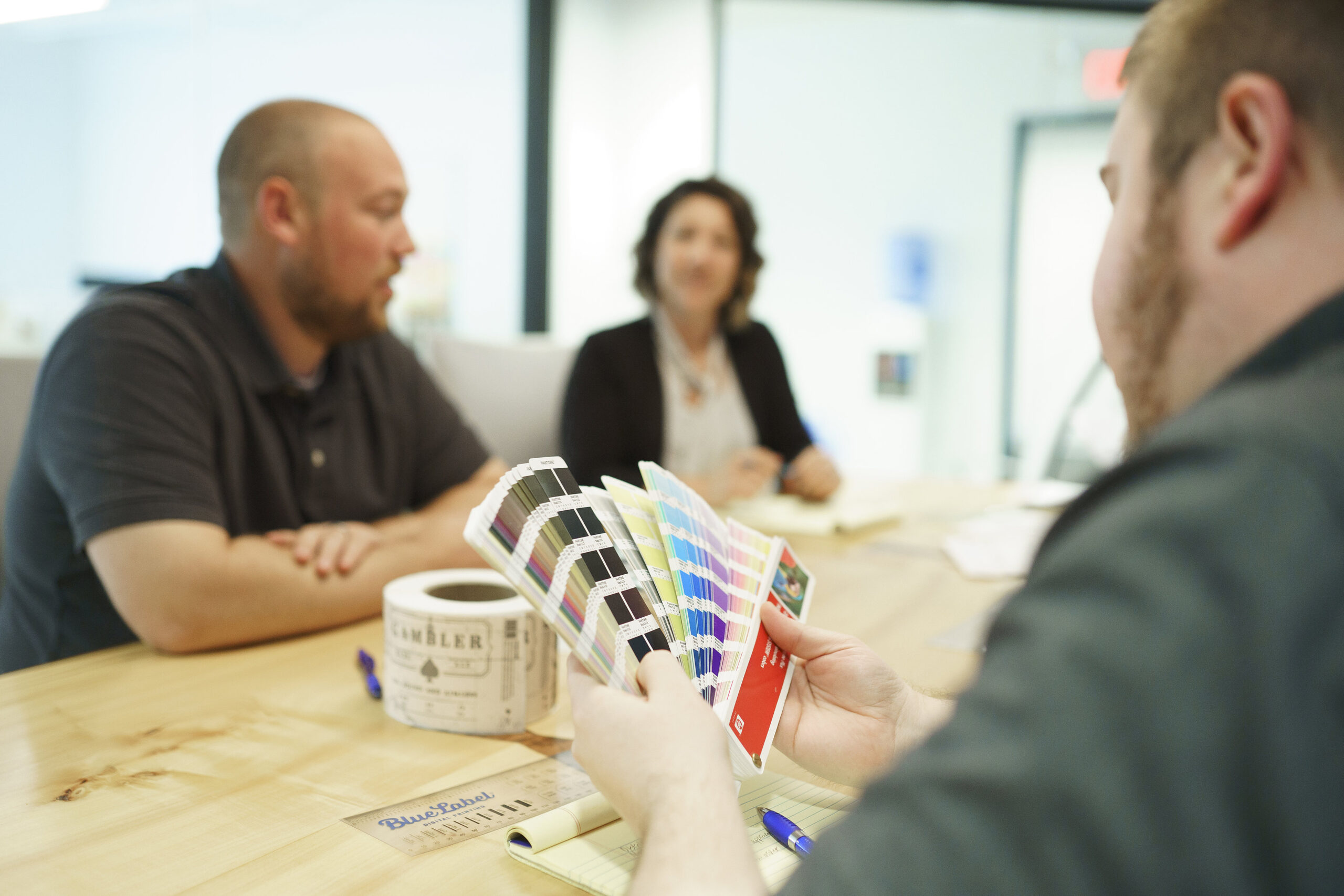
Label printing experts reviewing color options for a product.

Which Color Format Is Right for Your Labels?

The most important question is: Will this design live on a screen or as a physical print?

If you’re creating designs for phones, computer monitors, or TV, you’ll use RGB (Red, Green, Blue).

But if you need to print product labels, brochures, or other physical materials, you’ll want to use CMYK (Cyan, Magenta, Yellow, Black).

Using the wrong format can lead to inaccurate color. We’ve seen it happen: you settle on the perfect color in RGB, then it looks dull or washed out when converted to CMYK for print. That mismatch could lead to you paying for multiple reprints if you’re not careful.

A Quick Look at RGB vs. CMYK

What is RBG?

RGB is an additive color system that builds colors by adding together different intensities of red, green, and blue light on a black backdrop. If you set each color channel to its highest intensity, you’ll get white light on a screen. It’s great for web graphics and other digital media because it produces a wide range of vibrant colors.

What is CMYK?

CMYK, on the other hand, uses subtractive mixing. Here, you’re printing overlapping layers of cyan, magenta, yellow, and black ink onto a surface. That surface is typically white paper (though it could be clear or metallic, which complicates things a bit). As you add more ink, you subtract the amount of white space that’s showing through—leading to a final color. Equal amounts of CMYK ideally produce a rich black.

Label printing experts reviewing RGB vs CMYK color results.

Why the Right Color Mode Matters for Your Labels

Avoiding Costly Reprints

Over the years, we’ve worked with multiple brands who have sent us RGB files for labels. The problem is, this often triggers an automatic conversion to CMYK, which can dull or shift colors.

Sometimes printers can’t match specific RGB hues at all. When you’re ordering thousands of labels, those surprises can mean wasted time, extra expenses, and possible reprints.

If you’re working with a designer, ask them to set your file in CMYK from the start if you’re printing labels. Double-check your color profiles, too. We recommend requesting a proof (physical, if possible) so you can see exactly how the colors will turn out before printing a large run.

According to the Smithers report, “The Future of Digital Print for Packaging to 2026,” 41% of brand owners rate color consistency as their top challenge when adopting new or short-run printing technologies.

This really shows why it’s so crucial to set things up in CMYK from the start.

Materials and Finishes Affect Color

Another key factor is the substrate you’re printing on.

White paper will show off color differently than a metallic or clear film. A glossy laminate can make colors pop, whereas a matte finish can soften them.

According to industry experts—like the team at Labels & Labeling—metallic materials can shift your colors by around 10–15% compared to white stock because of the way they reflect light. (This figure can vary based on ink type, printer calibration, and the specific substrate brand.)

This is why it’s a good idea to test or request samples if you’re not sure.

Ensuring Brand Consistency Across SKUs

If you have multiple products, consistency is everything. Maybe you have a seasonal craft beer, a flagship IPA, and a limited-edition stout, all featuring the same shade of teal on their labels. When you’re managing multiple SKUs, it’s easy for slight color variations to pop up if you’re not careful—especially if you’re switching printers or label materials.

Here’s what we’ve found works best:

  • Maintaining a master color profile for your brand. (This is your “source of truth,” usually an ICC profile or Pantone reference that you share with designers and printers so everyone has the same baseline for color accuracy.)
  • Printers can use color management systems to ensure consistent brand colors across SKUs and print jobs by calibrating equipment, applying ICC profiles, and measuring color accuracy, preventing variations across materials, lighting conditions, and production runs.

Common Mistakes to Avoid

  1. Forgetting to Convert Color Mode: Always switch to CMYK if you plan to print. Relying on last-minute conversions by your printer could lead to dull or inaccurate results.
  2. Skipping Physical Proofs: Colors on your monitor aren’t always reliable. A physical proof or press check reveals how inks interact with your chosen substrate. (A press check is typically an in-person review where you or your representative watch the job run on press, confirming final color matches your expectations.)
  3. Not Accounting for Substrate Color: Metallic, clear, or even kraft paper labels can shift your final color more than you’d think. Test them out!
  4. Ignoring Brand Consistency Over Time: If you have multiple product lines, confirm that each run matches your brand guidelines—especially if you switch printers or label stocks.

Work with a Printing Company That Understands Color

If you’re ready to print labels that truly pop, we’d love to help. Our team at Blue Label works with you to guide you through the entire printing process—from choosing the right materials and color profiles to providing recommendations that fit your budget. We’ll hop on a quick call to learn about your label project, talk through your design and substrate ideas, and figure out how to nail the colors. After that, we’ll send you a proof so you know exactly what to expect before going to print.

Contact Blue Label today to talk to one of our experts about full-color label printing for your next project. We’re here to make sure your colors match your vision every time.

Choosing the Right Imagery for Your Product Labels: Tips for Effective Design

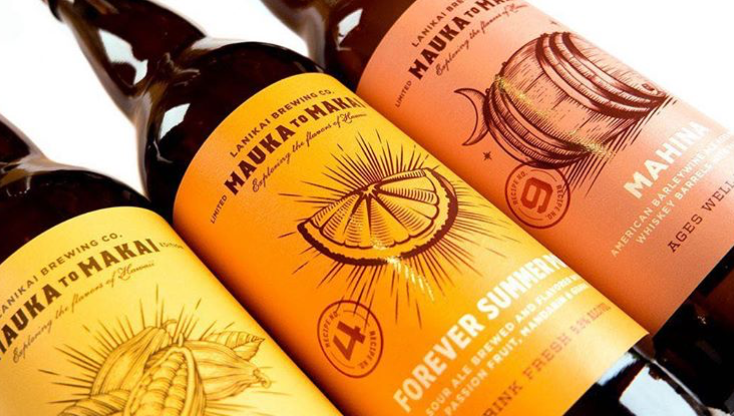
Apple visionary Steve Jobs once said, “Packaging can be theatre. It can create a story.” Imagery examples, such as minimal and bold like those on an Apple product, locally themed and intricate on a craft beer bottle label, or timeless and luxe like the embossed and foiled label on Godiva chocolates, serve as the lead narrator of your brand’s story.

How all-powerful is product label design? How can you level up your existing label with imagery and accents matching your mission and target customer? Let’s explore four key concepts for creating impactful brand imagery.

Beer Cans with Labels

1. The Value of Design and Imagery in Product Labels and Packaging

First Impressions Are Crucial

A product that is new to your customer will only get one shot at grabbing their attention. When your product sits on a physical shelf, the imagery on your label is your brand’s last expression and our customer’s first impression. Studies estimate that 60% of consumers decide in the first 30 seconds! How does imagery help your consumer decide?

Evoke Emotions

Imagery evokes emotions — one of the key catalysts for buying behavior. They influence our buying decisions, preferences, and attitudes toward your brand. According to the Harvard Business Review, “emotional motivators” give a better insight into a customer’s future value than any other metric (including brand awareness and customer satisfaction), making them a key driver of growth and profitability.

For example, Nike’s imagery of athletes pushing the limit can spark inspiration and motivation, while depictions of happy people can lend themselves to joy and nostalgia.

Your Label as Brand Narrator

Labels and the imagery you choose to create a visual narrative about your company will shape how your business is perceived. It is your brand’s story and intention in a nutshell, and it should align with your brand identity by bringing photography, illustration, or both together.

You Get One Shot — or 313 Milliseconds — at a First Impression

Your label should provide clarity and relevance. It should act as a key building block to trust building. A visually striking package can capture attention quickly, making it more likely that people will pick up your product out of curiosity and interest. That initial spark of attraction — which one study says can happen in as little as 313 milliseconds — is often the first step toward a purchase decision.

Catch the Attention of New Adaptors

Strong imagery allows your label to attract new customers unfamiliar with your brand. Impactful visuals allow your product to project itself on a shelf amongst a sea of competing items. This gets the attention of new adaptors, who will then go on to evaluate whether this product solves a problem or fulfills a want or need.

2. Eye-Catching Appeal: How to Use Imagery in Label and Packaging Design

Beer can with photography

Photography vs. Illustration

When should you use photography over illustration? Can you use both in a label design for your product? Real product photography works best for food, beverage, and beauty products where trust and authenticity are important. Illustrations are ideal for abstract or complex concepts — the kind of label where the consumer could look several times and still see different details. Adding illustrations to photography can help fill the gaps for any information the photo doesn’t project.

Beer can with typography

Typography as Imagery

Fonts and text placement are the unsung heroes of label design. Bold, creative fonts can become as much a part of the main visual as photography and illustration. Delicate fonts can message sophistication and elegance or become a decorative element. Fonts are also functional, guiding the customer’s eye to important information.

Visual Hierarchy

As we mentioned above, you may have less than a second to talk to a prospective customer. Organizing the label so that imagery, text, and key product information like features and benefits are easily scannable is key to getting your message across quickly and concisely.

beer cans with pattern on label

Textures and Patterns

Your label may be one-dimensional, but your design doesn’t have to be. Textures can convey a message with just as much impact as imagery. Adding a tactile touch through raised UV coating used in screen printing or embossing can give a luxurious feel.

Visual patterns in your design through debossing or foiling can complement imagery, enhance appeal, and create a sensory connection.

Complimentary colors on labels

Complementary Use of Color

Colors have a psychological impact on our buying. This feeling can trigger the emotions we touched on above. Color experts recommend these colors to enhance the impact of your imagery.

  • Green is associated with joy, tranquility, and nature.
  • White is calming and conveys a sense of cleanliness. It tends to make individuals feel safe.
  • Black is linked to stability and intelligence, sophistication and elegance.
  • Blue inspires creativity and joy; different shades encourage trust and dependability.
  • Orange signifies energy, appetite, and a sense of adventure.

3. Building Trust & Authenticity

Real Product Photography

The first step in gaining consumer trust? Using real product photography, especially in industries like food and beauty, where authenticity is critical. Customers are more consumer savvy than ever and can spot shortcuts, which can build distrust.

Authentic Representation

Building on using real product photos, you can ensure authentic representation by using photographic or illustrated imagery that realistically reflects what’s inside the package. Fool them once, and well — there might not be another time.

Honey storage container with custom lables

Transparency in Packaging

Discerning customers want to know where their money is going, and a window directly into the product can help! Consider transparent or partially clear packaging to show the actual product and establish trust through honest representation.

4. How Material Choices and Embellishments Can Make Imagery Stand Out

Give your customers a full sensory experience. Materials like the wide range offered by Blue Label Packaging are as important as the images on them. Glossy, matte, or textured labels give different qualities to the appearance of imagery, user experience, and overall impact.

Rye Whiskey bottle with custom label

Embossing, Debossing, and Foil Stamping

These are all excellent accent techniques to add to any product packaging design. They help draw attention to certain priority areas of a label, like the brand name and logo. Features like embossing and debossing can also add depth to the design. Shiny and reflective foil stamping enhances visual appeal by highlighting specific features, such as logos, text, images, and borders.

Let Blue Label Packaging Bring Your Imagery to Life

Well-thought imagery plays a big role in attracting new customers and significantly impacting profitability. What is the key to selecting the right imagery? It truly lies in understanding both your product and the style that aligns with your brand’s identity and also resonates with your target audience.

Remember — it’s not just about aesthetics and what’s trendy. Quite the opposite, it’s about standing apart from the rest and crafting a memorable visual narrative that resonates with your audience.

Blue Label Packaging can help you curate the perfect custom label that will best suit your imagery and user experience. Check out our designer directory, get a sample pack, or request a quote today!

How to Translate Your Brand Identity into Packaging and Labels: A Step-by-Step Guide

While you might not judge a person based on one meeting, products often don’t get a second chance on a crowded shelf. Let’s face it — when it comes to shopping, customers all judge a book by its cover, or in this case, a product by its packaging. Studies say about 70% of consumers make snap decisions based on packaging alone — tough for your amazing product on the inside!

Let’s dive into the consumer psyche and how your packaging choices can help you connect to your ideal audience.

The Significance of Brand Identity in Packaging and Labeling

It’s not only your choice of color palette and the feel of a quality product label design that matters. Nearly two-thirds of shoppers feel more connected with brands that share their values, often thanks to clever packaging that tells a story. If a product’s packaging catches the consumer’s eye in the first few seconds, we are a whopping 81% more likely to toss it into our cart.

What is this magic that compels consumers to pick one product over another? One ingredient is a well-communicated brand identity.

What Is Brand Identity?

Author and branding guru Seth Godin once said, “A brand is the set of expectations, memories, stories and relationships that, taken together, account for a consumer’s decision to choose one product or service over another.”

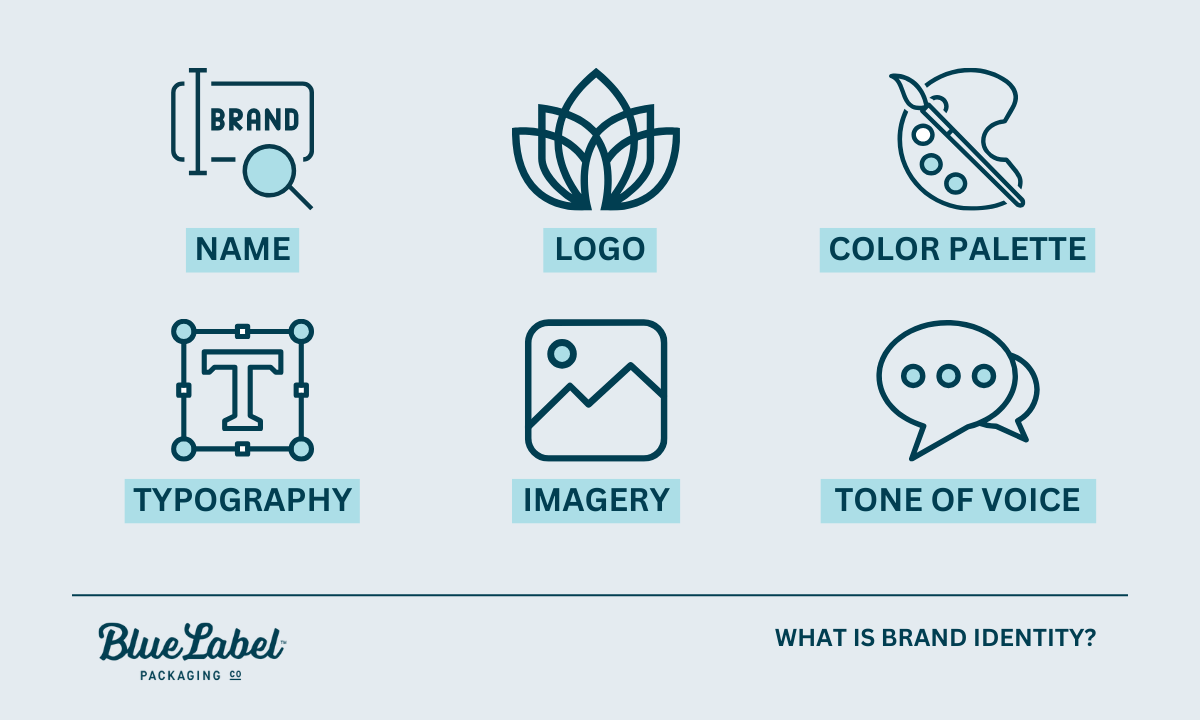
What is brand identity? Infographic

Brand identity encompasses the visible elements of a brand, including its:

  • Name
  • Logo
  • Color palette
  • Typography
  • Imagery
  • Tone of voice

Together, they create a unique image in the consumer’s mind. These components work in harmony to convey the brand’s message and values.

Where Packaging and Labeling Meet Brand Identity

Packaging and labeling play a crucial role as the physical embodiment of a brand’s identity. They are often the first touchpoint a consumer has with a product, making them essential in creating lasting impressions.

Well-designed packaging not only attracts attention on the shelf but also communicates the brand’s essence, values, and intentions. Effective packaging can enhance a consumer’s experience, reflecting quality and care in the product within.

Once you’ve started growing a loyal fanbase, consistent design elements, packaging, and labels can reinforce brand recognition, fostering customer trust and loyalty.

Key Visual Elements of Brand Identity

Key elements of brand identity—color, typography, and imagery

When translating brand identity into packaging, several key visual elements must be considered:

  • Color: The choice of colors in packaging influences consumer perception and can evoke specific emotions. For example, blue often conveys trust and reliability, while green is associated with eco-friendliness and health.
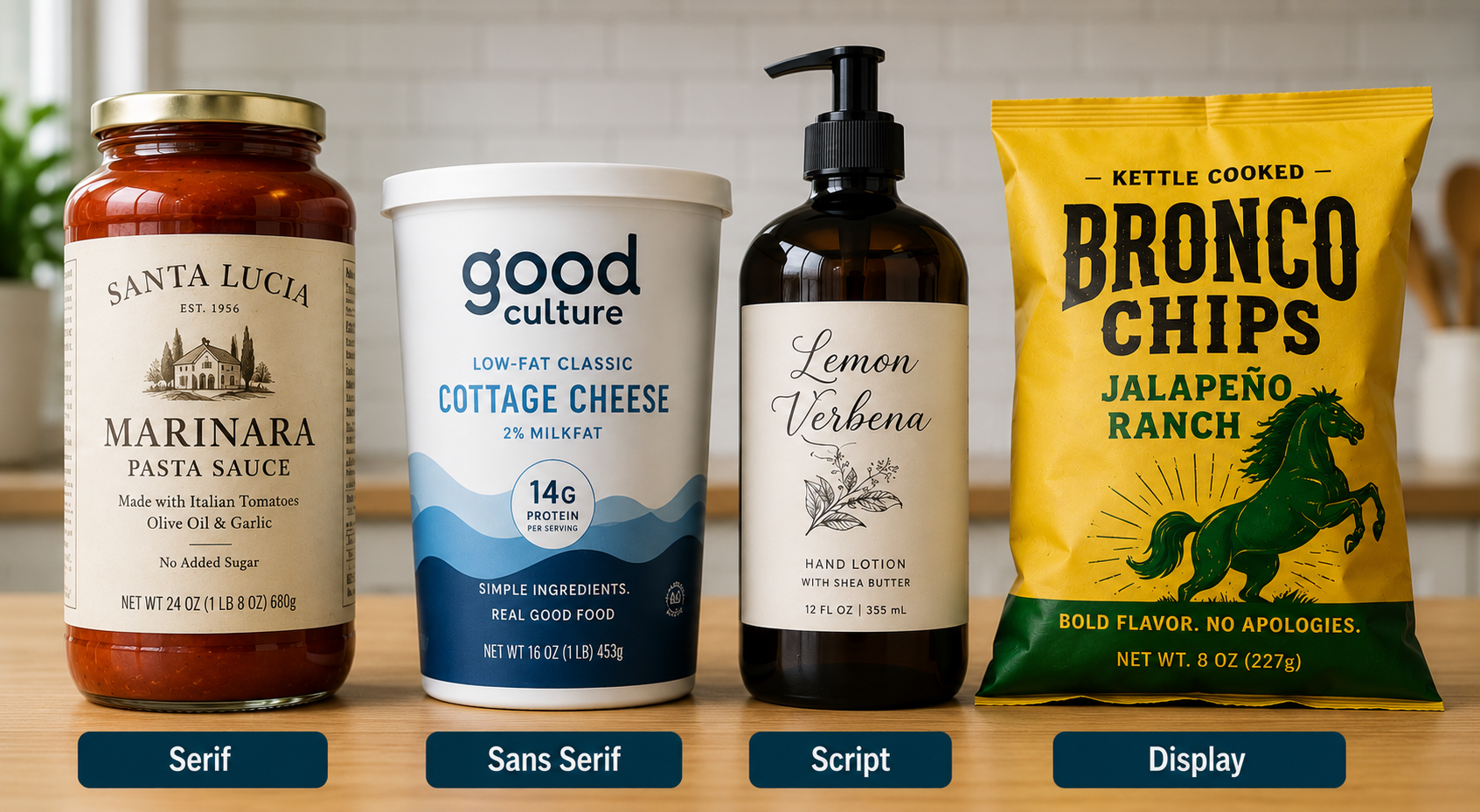
  • Typography: The fonts selected for packaging should align with the brand’s personality and tone. Elegant script fonts might suggest luxury, while bold, sans-serif fonts can impart a modern, approachable feel.
  • Imagery: The visuals used, whether photographs, illustrations, or graphics, should resonate with the brand’s message and audience. They can enhance storytelling, making the product more relatable and memorable.

The Impact of Branding and Design on Profitability and Marketability

Branding and design are two of the biggest parts of your brand equity. They shape consumer perceptions and can significantly influence purchasing decisions. Here’s how they impact your bottom line:

  • Generates Organic Word of Mouth (WOM) Marketing: A strong brand identity attracts new customers and helps retain existing customers, leading to repeat purchases and valuable word-of-mouth promotion.
  • Accelerates Growth Through Recognition: Unique packaging and label design make your product memorable and easy to find—that’s what we call brand recognition.
  • Adds Perceived Value: Eye-catching design helps your product stand out, helping you justify your price point.
  • Simplifies Marketing Efforts: A clear and consistent brand across products and platforms makes sales and marketing easier.

Shopper Psychology: How Packaging Influences Consumer Perception

Packaging is far more than just a protective layer for products; it is the first touchpoint between consumers and your brand — and it turns out that most of the time, the average shopper doesn’t know they’re being judgemental.

Harvard Business School professor Gerald Zaltman highlights in his book How Customers Think: Essential Insights into the Mind of the Market that as much as 95% of the decisions customers make when purchasing occur within our subconscious mind.

The design, color, shape, and material of packaging can significantly affect consumer perceptions and buying decisions. Eye-catching packaging can evoke emotions and attract attention, driving impulse purchases and establishing a brand’s identity in a crowded marketplace. Packaging can signal quality and sustainability, influencing consumers’ choices in an increasingly eco-conscious market.

Woman shopping in a supermarket

Designing for Your Target Market

A deep understanding of their preferences, values, and lifestyles is essential to ensure that packaging resonates with your target audience. Here are some tips for creating effective packaging:

  • Research Demographics: Conduct market research to understand your audience’s characteristics, including age, gender, and interests.
  • Visual Elements: Use colors and graphics that appeal to your demographic. Younger consumers might prefer bold, playful designs, while older consumers may appreciate classic and understated elegance.
  • Functional Design: Consider the practical needs of your target market, such as ease of use, convenience, and portability, ensuring that your packaging meets their expectations.

How Types of Packaging Speak to Different Demographics

Packaging should speak to your brand’s key personas.

  • Eco-Friendly Packaging: Brands like Method and Haagen-Dazs have successfully adopted sustainable packaging that appeals to environmentally conscious consumers, reinforcing their commitment to sustainability.
  • Luxury Packaging: Companies like Chanel use elegant, minimalist designs to convey a sense of exclusivity and high quality, resonating with affluent clients seeking premium products.
  • Whimsical Packaging: Brands targeting families and children, like M&M’s, often employ vibrant colors and playful illustrations, making their products visually appealing to younger audiences and their parents alike.
  • Label designers looking at color swatches

How to Communicate Brand Identity Effectively to a Designer

Before you talk to the designer, you’ll need to get your ducks in a row. This means creating a clear common language to communicate with each other.

  • Define Your Brand’s Vision and Values: Outlining the core principles that drive your brand. What is its mission and vision? Articulate the values you want the brand to embody and the problem you want to solve with your product.
  • Identify Your Target Audience: purchasing behaviors. This information helps the designer understand whom they are designing for.
  • Choose a Tone and Voice: Describe the tone of communication that your brand will use — will it be playful, serious, modern, or nostalgic? This will guide the designer in selecting colors, typography, and styles that align with your brand personality.
  • Create a Brand Guide or Identity Brief: Your brand will include all the above plus examples of your buyer persona, logo use, brand colors, and fonts. (Pro tip: look at other industry-adjacent brand language and style guides to get a feel for what to include and then customize it to your brand’s voice and audience.)

What to Give to a Designer

It’s helpful to include a few extras along with the brand guide. Most experienced designers can seamlessly switch between brand aesthetics, but they tend to work better with visual references than only verbal ones.

  • Provide Visual Inspiration: Include mood boards, examples of competitor brands, or any visuals that resonate with your brand’s identity. This will help the designer visualize your expectations.
  • Outline Specific Requirements: Specify any essential elements or constraints in the design, such as logo usage, color palettes, and typography guidelines. Be clear about what must and must not be included.

Collaboration Strategies

These are some tips to keep the design process smooth. Really solid communication will save you time and money.

  • Be Clear and Concise: Use straightforward language and avoid jargon when discussing your brand identity. Ensure that all key points are easy to understand and direct.
  • Encourage Questions: Foster an open atmosphere by inviting the designer to ask questions for clarity. This helps prevent misunderstandings and aligns expectations.
  • Provide Context: Explain why certain elements are important to your brand. Sharing the reasoning behind your choices gives the designer a deeper understanding of your vision.
  • Regular Check-Ins: Schedule periodic meetings to discuss progress and address any concerns. This keeps everyone on the same page and allows for adjustments based on client feedback.
  • Constructive Feedback: Offer feedback that is specific and actionable. Instead of saying you don’t like a design, explain what aspects do not align with your vision and why.
  • Celebrate Milestones: Acknowledge completed phases in the design process to maintain motivation. Recognizing efforts helps build a positive working relationship and encourages designers to deliver their best work.

Designer looking at product labels

Choosing the Right Materials and Styles Based on Your Brand Identity

Material Selection

When selecting materials for your packaging, it’s crucial to consider how each option can align with and enhance your brand identity.

For instance, paper offers a classic, eco-friendly choice that can be tailored with various textures and finishes for a unique touch.

BOPP (Biaxially Oriented Polypropylene) is a versatile and durable material that works well for products requiring moisture protection while maintaining a clear design aesthetic.

Vinyl, known for its vibrant colors and flexibility, can convey a modern and durable impression, making it suitable for brands looking to stand out in a competitive market.

Style Considerations

Your packaging style should ultimately serve to reflect and elevate your brand’s identity and values.

A minimalist approach, like the one famously used by Apple, can communicate sophistication and modernity, appealing to consumers who value simplicity and elegance.

On the other hand, luxury packaging often employs high-quality materials and intricate designs to create an impression of exclusivity and prestige. The perfume industry does an excellent job using custom packaging and high-end label finishes to speak to a high-end buyer.

Eco-friendly packaging can resonate with environmentally conscious consumers, showcasing a commitment to sustainability. Lush is a great example, showcasing bold, eco-friendly packaging that aligns with their ethical stance.

The Importance of Brand Consistency Across Products and Product Lines

Keeping your brand consistent across all products and packaging is key to building consumer trust. When customers see a uniform brand experience, it boosts their recognition and makes them feel more connected to your products. This connection can lead to increased loyalty, as people tend to stick with brands they know well.

To achieve this, brands should create clear brand guidelines for visual elements like logos, colors, and typography and ensure that teams are trained on these standards.

Should you live and die by your brand guide? Not always. When launching new products or entering different markets, it’s vital to adjust your branding thoughtfully, maintaining your core identity while appealing to local tastes. By focusing on consistency, companies can grow while solidifying their presence in the market.

Blue Label Can Help Connect Your Brand to Your Packaging

Next time you’re designing labeling or packaging, remember that a little thought toward branding, materials, and intent can go a long way toward turning heads and creating a loyal customer base.

Contact us today for a quote for custom labels or just go get answers to any of your labeling or packaging questions.

These Color Combos Could Be Hurting Your Labels—Here’s What to Know

In the aisles of supermarkets and product listings online, label design plays an important role in catching the consumer’s eye. For businesses in food, beverage, and consumer goods industries, a well-designed label can elevate your product from shelf space to a memorable brand.

Enter color psychology—the science that taps into how colors affect our perceptions and behaviors. Specific hues can trigger an appetite, convey freshness, or even create a sense of trust. This psychological interplay between color and emotion is important for brands trying to resonate with their audience on a deeper level.

With this understanding comes great responsibility—especially when selecting color combinations for packaging design. This guide aims to help you consider color combinations that may not communicate your message effectively so that your labels resonate with consumers and create a lasting impression.

Understanding Color Theory and Color Psychology in Packaging

The Basics of Color Theory

At its heart, color theory is the study of hues, saturation, and brightness—elements that form the foundation of every color we see. Hues give us the rainbow; think reds, blues, greens. Saturation refers to how intense or muted these colors appear, while brightness dictates how light or dark they are.

Color Psychology

Color psychology takes this understanding one step further by exploring how specific colors influence our emotions and behaviors. It’s a powerful tool for packaging design as it taps directly into consumer perceptions. For instance:

  • Red often evokes excitement and appetite—a reason why it’s prevalent in food industries.
  • Blue conveys trustworthiness and reliability making it favored by technology brands.
  • Green is synonymous with health and sustainability appealing to eco-conscious consumers.

Color Combinations to Use with Caution

When it comes to label design, certain color combinations may pose challenges in visibility or readability. Understanding how colors interact and the psychological impact they have on consumers is worth understanding. Below are a few pairings to approach thoughtfully.

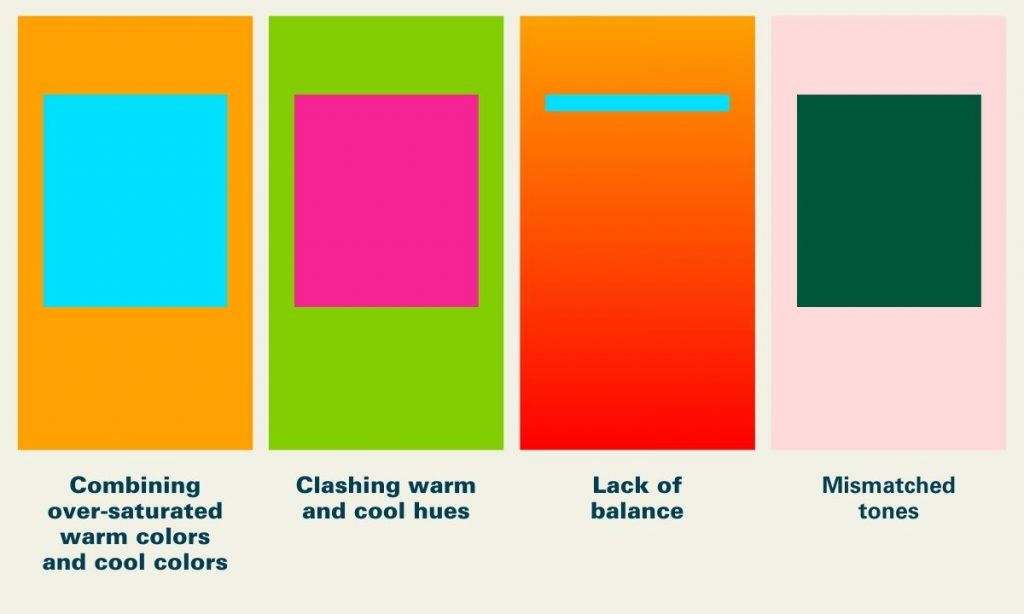
Neon Green and Bright Pink

Neon Green and Bright Pink

While each of these colors might be striking individually, together they can create an intense visual experience. This combination often feels highly saturated and may overwhelm the viewer, making it harder to focus on product details.

Consideration:. If you are not looking to be perceived as more bold or “loud”, consider ways to balance these vibrant tones by adding in neutral accents or contrasts. 

Red and Green

Red and Green (Without Careful Contrast)

Red and green can be a powerful combination, but it’s important to consider contrast. These colors can be challenging for individuals with red-green color blindness and might evoke strong seasonal associations, which could affect year-round appeal.

Consideration: Consider using strong contrast between these two hues to enhance accessibility and clarity for all consumers.

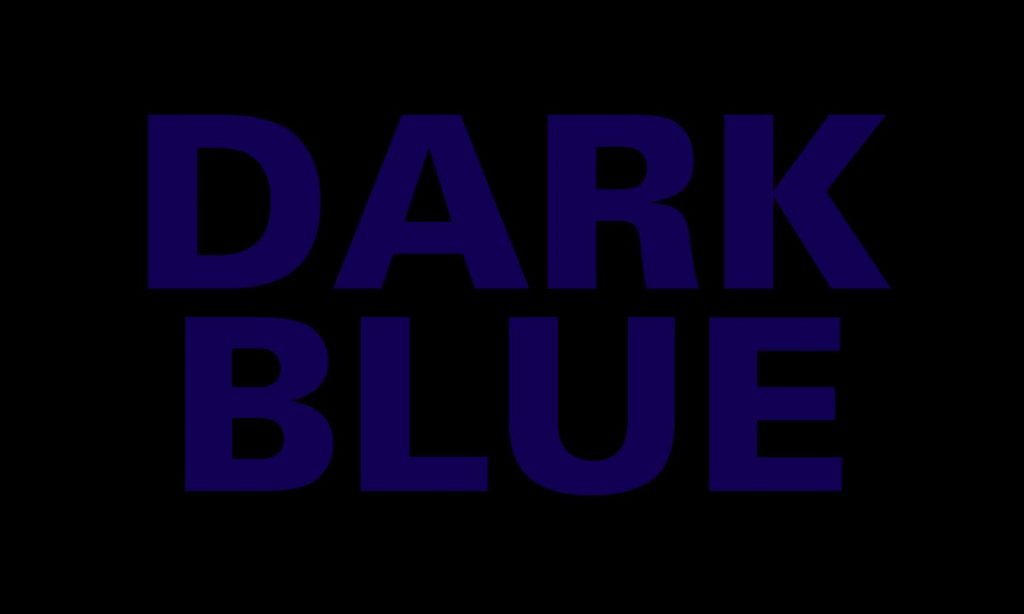
Dark Blue on Black

Dark Blue on Black

Both dark blue and black are often associated with elegance and professionalism. However, when paired together without sufficient contrast, the result can be difficult to read—especially in retail environments where consumers see a product for a few short seconds.

Consideration: Using contrast between text and background can improve readability, allowing your label and its messaging to be more effectively communicated.

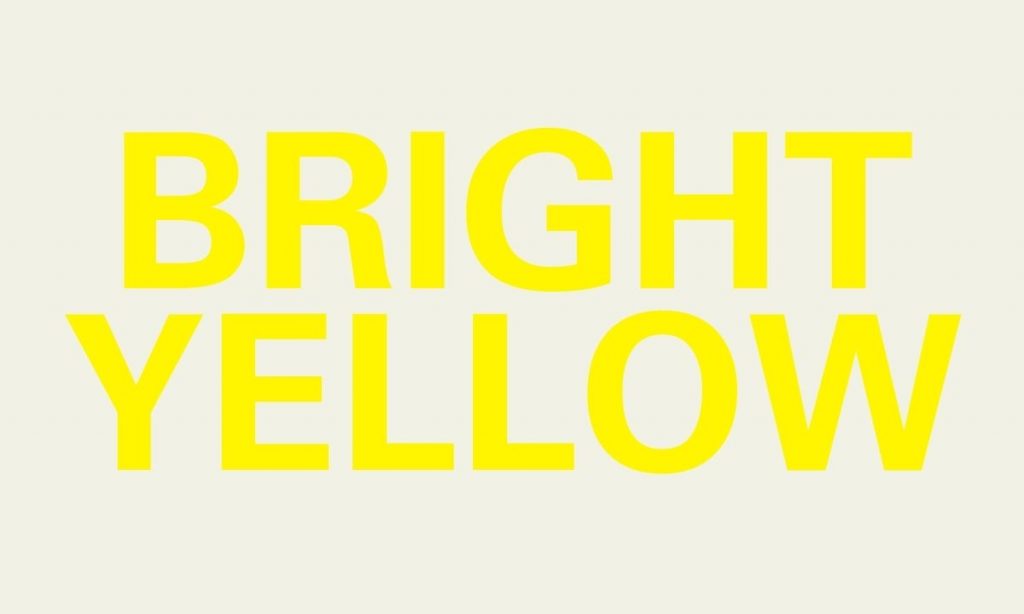
Bright Yellow on White

Bright Yellow on White

This combination can suffer from low contrast, which may make text and details hard to discern, especially under certain lighting conditions.

Accessibility Considerations:

Accessibility Consideration: Approximately 1 in 12 men and 1 in 200 women experience some form of color blindness. Choosing color combinations with sufficient contrast ensures that all customers can read and engage with your product effectively.

Common Mistakes and How to Avoid Them

Color Schemes

Overcomplicating Color Schemes

A complex palette with too many colors can dilute your message, making it harder for consumers to understand your brand identity.

Tip: Sticking to a core set of three to four hues makes your label clear and reinforces your brand without overwhelming the customer.

Ignoring Market Research

Cultural and industry-specific preferences can influence how colors are perceived by different audiences. What works in one market may not translate well in another.

Tip: Conduct market research to tailor your label designs to your target demographic. This will help your color choices align with consumer expectations and cultural nuances.

Forgetting About Compliance Regulations

Certain industries, such as food and beverage, have strict guidelines regarding labeling. These guidelines often extend to readability, contrast, and visibility.

Tip: Familiarize yourself with relevant industry standards early in the design process. This helps you balance regulatory requirements with aesthetic goals.

Chasing Trends at Expense Timelessness

Trends can be enticing, but they also may fade quickly. Balancing timeless design elements with subtle trend influences can keep your packaging fresh without risking it becoming dated.

Tip: Incorporate classic design elements like minimalist layouts, complemented by trendy accents that can be updated over time.

Strategies for Choosing the Right Color Combinations

Navigating the color spectrum effectively can transform a good label design into an unforgettable one. Here’s how to ensure your selections resonate well with consumers and amplify your product’s appeal.

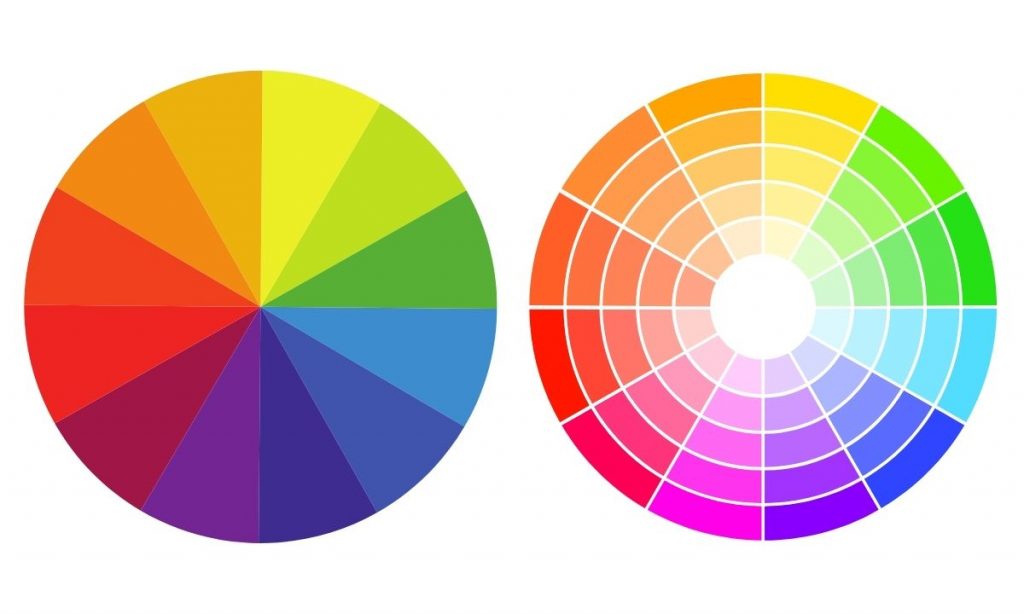
Color Wheel

Harnessing the Color Wheel

The color wheel isn’t just an artist’s tool; it’s a fundamental guide for selecting colors that work in harmony.

  • Complementary Colors: Located directly opposite each other on the wheel, these combinations stand out due to their high contrast while maintaining balance.
  • Analogous Colors: These are colors next to each other on the wheel, sharing similar hues which create a serene and comfortable design.

Tip: Use complementary colors for elements you wish to highlight (like logos or call-to-actions) and analogous schemes for background or less prominent features.

Navigating the Challenges of Sustainability and Color Selection

The intersection between color selection for packaging and its impact on recycling and eco-friendliness presents unique challenges but also opens opportunities for innovation.

The Impact of Colors on Sustainability

Color selection can influence the recyclability of inner packaging. For example, certain bright or dark dyes used in plastics may interfere with sorting mechanisms in recycling facilities, reducing the material’s overall recyclability. 

Strategies for Eco-Friendly Choices for Inner Packaging

  • Opting for Lighter Shades: Lighter colors for plastics and inner packaging are often easier to process in recycling plants and typically require less dye, which may contribute to more sustainable packaging.
  • Choosing Natural Dyes: Where possible, using natural plant-based dyes can provide vibrant hues without the environmental impact of synthetic dyes.
  • Material Matters: Beyond the colors themselves, it’s important to consider the materials being used. Biodegradable and compostable materials should be prioritized to ensure that the entire packaging aligns with eco-friendly initiatives, from the ink to the substrate.

Next Steps

We’ve explored how certain color combinations can present challenges in terms of readability and consumer opinion. These considerations aren’t just about avoiding specific combinations, but about improving your product’s appeal through accessible and visually effective design.

At Blue Label Packaging, our expert team understands the nuances of color and how to help you create labels that resonate with your audience.

Browse through our portfolio to discover a world of possibilities for your product labels.

Where Can I Find a Beer Label Designer?

Even a tasty beer can fail if nobody buys it. The craft beer market is growing rapidly, with global data company Nielsen citing that craft sales are up more than 65 percent in the past five years. If you want a nice slice of that multi-billion-dollar pie, you need to make sure your product stands out in a very competitive crowd.

Your beer label is going to be the first thing shoppers will see, so you need to attract their eyes before you can convince their taste buds to go on a second date. A professional beer label designer can create a label that not only sticks out on shelves, but also allows you to tell a story about the beer that you’ve carefully crafted.

Beer can with shrink sleeve

Do You Really Need a Professional Label Designer?

Even if you’re tempted to handle design in-house or try a DIY approach, working with a pro can really take your label to the next level. Professional label designers bring specialized expertise and a proven track record that often translates into higher quality and more effective packaging.

If you don’t believe us, consider these findings from Nielsen’s craft beer design audit:

  • 70 percent of craft beer buyers decide which beer to buy right at the shelf
  • 66 percent of American craft beer buyers say that a beer’s label and packaging are “very” or “extremely” important for getting noticed
  • 60 percent say that a beer’s label and packaging are “very” or “extremely” important in convincing them to give it a try
  • 71 percent of craft beer buyers say they like to try brands with bold and interesting packaging

That’s a lot of people judging a beer by its looks, which is why finding a designer who truly understands your product can be a game changer.

Image of a custom label from a beer label designer.

Getting It Right: Technical and Production Tips

Great design is important—but it’s equally important that your concept translates into the final product. Here’s what you need to know about the technical side:

  • Print Resolution & Color Models: Make sure your artwork is high resolution (at least 300 DPI, meaning it’s sharp enough for printing) and designed in the appropriate color mode—CMYK. This standard printing color model ensures that what you see on your screen matches what comes off the press.
  • Material & Finishing Options: Think about which paper or packaging material complements your design best. Options like matte, gloss, or textured finishes can really change the overall look and feel. Other options like foil stamping, embossing and debossing, and lamination can make parts of the label stand out.

Regulatory & Compliance Factors: Remember, your design needs to follow certain rules—like those in the Alcoholic Beverage Label Act, which spells out what info must appear on your label (health warnings, ingredient lists, alcohol content, etc.). Make sure your designer is aware so you don’t hit any snags during production.

Cans vs. Bottles: Label Design Considerations

When evaluating designers, keep in mind that cans and bottles each have unique design considerations:

  • Label Size and Shape: Bottles often require multiple labels, including front labels, back labels, and neck labels. Each label needs to communicate effectively on its own, but also fit together cohesively. Cans, on the other hand, typically use a single wrap-around label or shrink sleeve, meaning your design needs to work seamlessly from all angles.
  • Visibility and Shelf Presence: Cans offer a continuous canvas that can make bold, graphic-driven designs particularly effective. Bottle labels usually require a more segmented approach, balancing individual elements like logos, text, and mandatory information across multiple labels.
  • Neck Labels and Specialty Areas: Bottles frequently include neck labels, which can enhance brand recognition and premium feel. Ask your designer if they have experience leveraging these smaller labels to make your beer stand out.
  • Material and Finish Differences: Some label finishes and embellishments (such as embossing, foil stamping, or textured papers) might suit bottles better due to their shape and handling. Cans benefit from durable, moisture-resistant label materials and vibrant printing, as condensation and handling can affect how the design holds up over time.

Be sure to discuss your packaging format with your designer early, so your design can maximize its impact, no matter which route you choose.

Beer bottles

Your Pre-Production Checklist

Here’s a quick checklist to make sure everything’s in order before you print.

  • Artwork Quality: Ensure your artwork is at least 300 DPI (for clear, sharp images) and in CMYK (to guarantee accurate print colors).
  • Material Selection: Review material samples—whether it’s matte, gloss, or textured finishes—to decide which look best enhances your design.
  • Compliance Check: Double-check that your design follows the Alcoholic Beverage Label Act and that all mandatory info is included.
  • Printer Consultation: Meet with your printer to confirm that your design files and chosen materials will work during production.

How to Choose the Right Beer Label Designer

Before you hire a designer, it’s important to do your homework to find someone who’s the right fit for your brewery. Your beer is unique, and the market is more crowded than ever. Here’s how you can make the best choice:

  • Evaluate Their Portfolio: Look for designers with specific experience in the beer or beverage industry. Their portfolio should show creativity and a solid understanding of how designs work in the real world.
  • Ask the Right Questions: In your initial conversations, ask about their experience with print production, regulatory compliance, and how they capture your brand’s story.
  • Questions to Consider:
    • What experience do you have with beverage labels?
    • How do you ensure your designs meet regulatory standards?
    • Can you share a case study where your design improved a brand’s sales?
  • Set Clear Expectations: Prepare a detailed brief that outlines your technical needs and creative vision. This minimizes misunderstandings and ensures the final product is exactly what you need.

Beer cans with labels

Consider Artwork Styles That Fit Your Brand

When reviewing a designer’s portfolio, pay close attention to their artwork style to ensure it aligns with your brand personality and your target audience. Consider the following elements:

  • Illustration vs. Photography: Does your beer brand lean toward playful and illustrated graphics or more refined photographic imagery? Choose a designer whose illustrative style consistently matches your intended vibe.
  • Typography Choices: Type plays a huge role in readability and personality. Look at whether the designer’s typographic choices—from bold, eye-catching fonts to subtle, minimalist lettering—match your brand’s tone and the impression you want to make.
  • Color Usage: Evaluate if the designer’s use of color resonates with your brewery’s identity. Bold, vibrant colors attract attention but may not align with every brand story, whereas muted or vintage palettes can convey tradition or craftsmanship.
  • Consistency and Flexibility: Consider whether their style can consistently carry through various product lines or seasonal beers while still offering enough flexibility to differentiate each brew.

Ready to Elevate Your Beer Label Design?

If you need a talented designer who can make your labels stand out while ensuring technical excellence and strategic impact, we’re here to help.

Over the years, we’ve worked with plenty of designers who excel at creating incredible designs and understanding the digital printing process inside and out. You can trust our national network of design experts to help your beer win hearts and shelves alike.

Check out our directory of approved beer label designers today. When your design is all set, drop us a line, and we’ll be happy to talk about digital printing options for your bottles or cans.

White File Best Practices: The Importance of White Ink for Labels

Behind every stunning product label is a well-crafted art file. In this guide, we’re diving into everything you need to know about white files and layered ink printing.

Why White Files Are Critical for Labels

What Is a White File?

A white file is a specific layer in your art file that tells the printing press where to lay down white ink on metallic, clear, holographic, or dark substrates to create opacity. This matters because most label printing companies rely on the CMYK color model, and your white file acts like a primer, ensuring those CMYK colors pop.

Imagine it like this: just as a painter primes a canvas so the colors stand out, your white file primes the substrate. Whether you’re going for a full coat that completely covers the substrate or a partial coat that lets some of the material shine through, the white file is key to getting your desired color effect without interference from the substrate.

Methods for Applying White Ink

There are two main ways to apply white ink, and your choice depends on the look you’re going for:

  • Flood Coats: With a flood coat, you cover the entire surface with white ink. It’s a straightforward approach that requires little extra file prep. Sometimes, using a white substrate might even be a more budget-friendly option. (Heads up: Performance can vary based on your substrate and ink formulation. We recommend doing a test run before you go full scale.)
  • Spot Applications: Spot applications let you apply white ink only where it’s needed. Your white file tells the prepress team exactly where to add the ink, ensuring that specific design elements stand out—like enhancing a clear label without covering up your container. (Note: Spot applications require precision. Make sure your file settings are dialed in and double-check with your prepress team to ensure everything comes out perfectly.)

Best Practices for White File Creation

File Preparation Techniques

  • Use Vector Images When Possible: Both Adobe Illustrator and Photoshop can create art files, but Illustrator’s vector-based approach gives you that extra precision. Vectors keep your layers crisp and reduce the chance of unwanted artifacts like a white fringe.
  • Layering—Keep White Files Above Your Art Layers: The white ink gets printed first, setting the stage for your CMYK colors. Keeping the white file on top ensures it shows up clearly on proofs and guides the printing process accurately.
    (Example: If you’re designing a label with a matte background and a metallic information box, position the white file for the lettering above the box layer. This prevents any overlap issues or lost details. Remember, it’s always a good idea to check your printer’s guidelines since layer handling can differ slightly between machines.)
  • Clear, Consistent Terminology: Name your layers with specific labels like “white ink” or “50 percent metallic” rather than vague names. This helps cut down on back-and-forth with your prepress team and ensures everyone’s on the same page.
  • Simplify Barcodes: While it might be tempting to experiment with creative barcode designs, sticking with a simple approach (black bars on a white background) is usually best for readability and scanner accuracy.

A white ink layers setup for a label.

White File Preparation Checklist

Here’s a quick checklist to help you nail your file setup:

  • Use vector-based files (e.g., Adobe Illustrator) for clarity.
  • Place white file layers above all CMYK layers.
  • Name layers with clear, descriptive terms (e.g., “white ink – 100%”).
  • Test the file layout with sample proofs before full production.
  • Chat with your prepress team to confirm proper layering and settings.

A label with a metallic substrate made with white file best practices.

Troubleshooting & Advanced Workflow Techniques

Even with the best practices in place, issues can occur. Here’s our step-by-step process to help you troubleshoot and fine-tune your workflow.

White File Workflow: Step-by-Step Process

  1. Initial File Setup:
    • Create your art file using vector software.
    • Define each layer with clear, descriptive names.
  2. Layer Arrangement:
    • Position the white file layer above all CMYK layers.
    • Use grouping and locking features to avoid accidental changes.
  3. Proofing and Testing:
    • Request sample proofs to check for consistency.
    • Adjust layer settings based on feedback from your prepress team.
  4. Final Adjustments:
    • Make adjustments based on your sample tests.
    • Finalize your file settings before sending them to production.

Set Up Your Product Labels for Success

A little extra preparation can make a huge difference in your final labels. If you’re ready to see your labels shine, contact us today for a free consultation, and we’ll show you how our approach can streamline your label production process.

Red Labels That Inspire: A Gallery of Designs for Red Product Labels

Red is the color of passion, power, and unshakable confidence—and when it’s used on a label, it has the ability to make products pop off the shelves. The color red can make a product feel bold and fiery or rich and refined. In this post, we’re diving into some inspiring examples of red labels that demand attention, connect with customers, and leave a lasting impression.

Cocoa Santé Hot Cocoa

The deep red on the Cocoa Santé Parisien label grabs your attention instantly—it’s bold, luxurious, and exudes warmth and indulgence. It’s the kind of color that makes you feel like you’re about to unwrap something truly special, setting the perfect tone for a Parisian-inspired cocoa experience.

Bake Me Happy Baked Goods

The bright, cheerful red of the Bake Me Happy label is impossible to miss—it’s fun, welcoming, and gives off a sense of homemade joy. Paired with the playful scalloped edge and friendly typography, it’s like the packaging is saying, “Yes, it’s gluten-free, but it’s also packed with pure happiness!”

Baked cookies with custom labels

Iowa Legendary Rye Whiskey

The deep, rich red of the Iowa Legendary Rye label is sophisticated, and gives nod to its storied 100-year history, drawing you into the bootlegger’s era. With its bold typography and intricate golden accents, the design evokes craftsmanship and legacy.

Rye Whiskey Label

Mosinee Brewing Company’s Flashover Imperial Irish Red

The fiery red design of Mosinee Brewing Company’s Flashover Imperial Irish Red cans gives off intensity and energy, echoing the bold, full-bodied flavor inside. The subtle textured pattern adds depth and character, making this can unforgettable.

Roaring Table Brewing’s Inessential Houses IPA

The playful pink palette and charming illustrations on Roaring Table Brewing’s Inessential Houses can make it feel like you’re strolling through a vibrant, whimsical neighborhood. The design is as refreshing and unexpected as the Sour IPA inside.

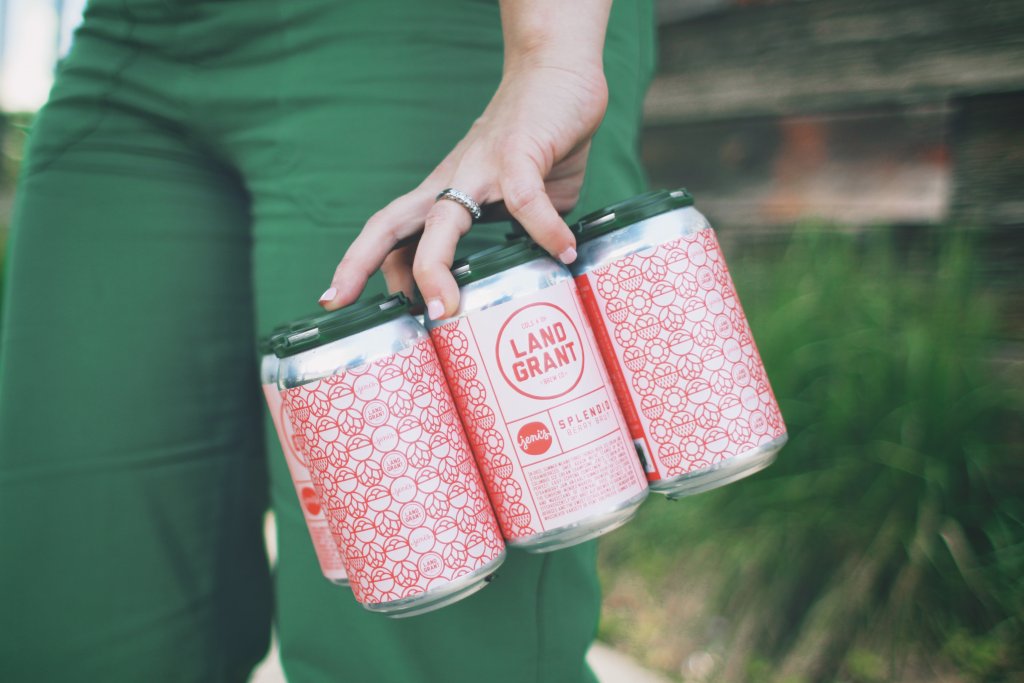
Land Grant’s Splendid Berry Brut

The bright, playful red and intricate patterns on Land Grant’s Jeni’s Splendid cans mirrors the creativity and sweetness of its collaboration with Jeni’s Splendid Ice Creams. The design feels like a joyful celebration in a can—inviting, fun, and as delightful as the treat-inspired beer inside.

Watershed Distillery Bourbon

The bold red label on Watershed Distillery’s bourbon strikes the perfect balance between modern simplicity and timeless warmth, drawing attention to its refined craftsmanship. It’s a design that feels right at home at any gathering—inviting, approachable, and as smooth as the bourbon it represents.

North Country Charcuterie

The fiery red labels for North Country Charcuterie’s El Diablo Chorizo demand attention with their bold and spicy energy, channeling the heat-packed flavor inside. The clean typography and rustic packaging create an artisanal charm.

Custom food label for North Country

Stadium Pizza Write Shot Red

The bold red labels for Stadium Pizza’s Wrist Shot Red amber ale hit the mark with their energetic hockey-inspired design. The striking colors and dynamic illustration make this brew feel like a power play for your taste buds, perfect for game day or any day.

Cà Phê Sữa Đá Sang Vietnamese Coffee

The vibrant red label on Sang Vietnamese Coffee’s plant-based can is bold, modern, and full of energy. Paired with the minty green/blue typography, it’s a fresh twist on tradition that grabs your attention and promises a creamy, plant-powered coffee experience.

Clos du Val Cabernet Sauvignon

The rich, earthy tones of the Clos du Val Cabernet Sauvignon label evoke elegance and timeless sophistication, capturing the essence of Napa Valley’s craftsmanship. With its delicate script and balanced design, the label feels as refined and complex as the wine itself.

Wine bottle with red label

Big Mountain Ciderworks Cherry Blossom Cider

The Big Mountain Ciderworks Cherry Blossom label features a rich cherry-red background adorned with delicate floral accents that evoke freshness and sophistication. The interplay of bold typography and soft blossom imagery creates a perfect harmony, much like the semi-sweet cider inside.

bottle with custom cider labels

Krayasart Thai snack bites

The vibrant red packaging of Krayasart Thai Snack Bites demands attention with its intricate, mandala-inspired design that radiates energy and cultural authenticity. Perfectly complementing the bold chili-lime peanut flavor, this packaging promises a snack experience that’s as dynamic and exciting as its appearance suggests.

Specialty food packages with custom labels

Nomad Snack Company’s Raw Dark Chocolate Bars

The Nomad Snack Company raw dark chocolate bar packaging is a perfect blend of rustic charm and modern flair. With its kraft paper base and vibrant pink accent, it feels natural and handcrafted, while the copper foil logo adds a luxurious touch.

chocolate box with custom label

Asheville Spice Company All Y’All Spice

The bold orange/red label for Asheville Spice Company’s All Y’All Spice is as vibrant and flavorful as the blend itself, capturing the warmth of southern charm and the zest of its mountain-roasted ingredients. With its playful skillet graphic and hand-drawn typography, this packaging promises an authentic and lively seasoning experience.

Spice Seasoning Jars with Labels